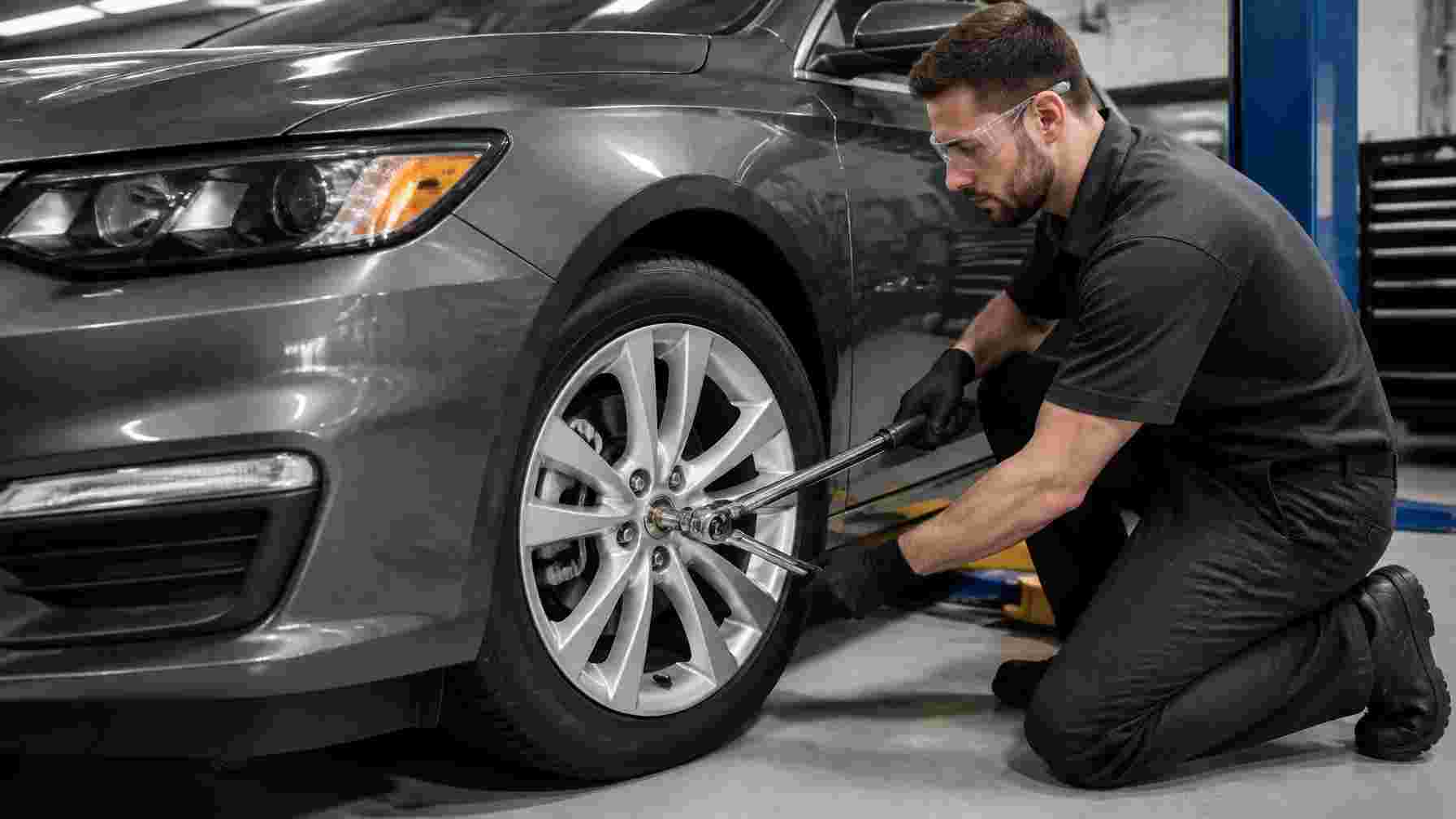
2018 Malibu Lug Nut Torque Specifications
For a 2018 Chevrolet Malibu, tighten the wheel lug nuts to 100 lb-ft (135 Nm) using a calibrated torque wrench. Confirm the specification in your owner’s manual or through this 2018 Malibu lug nut torque reference before installing a wheel.
Proper torque helps you secure the wheel without stressing the studs, nuts, or brake components. You will learn which tools to use, how to tighten the nuts in the correct pattern, and what to check after driving.
Wheel type, replacement lug nuts, damaged threads, and service conditions can affect safe installation. If anything feels stripped, seized, or uneven, stop and have a qualified technician inspect it.
Factory Tightening Specification
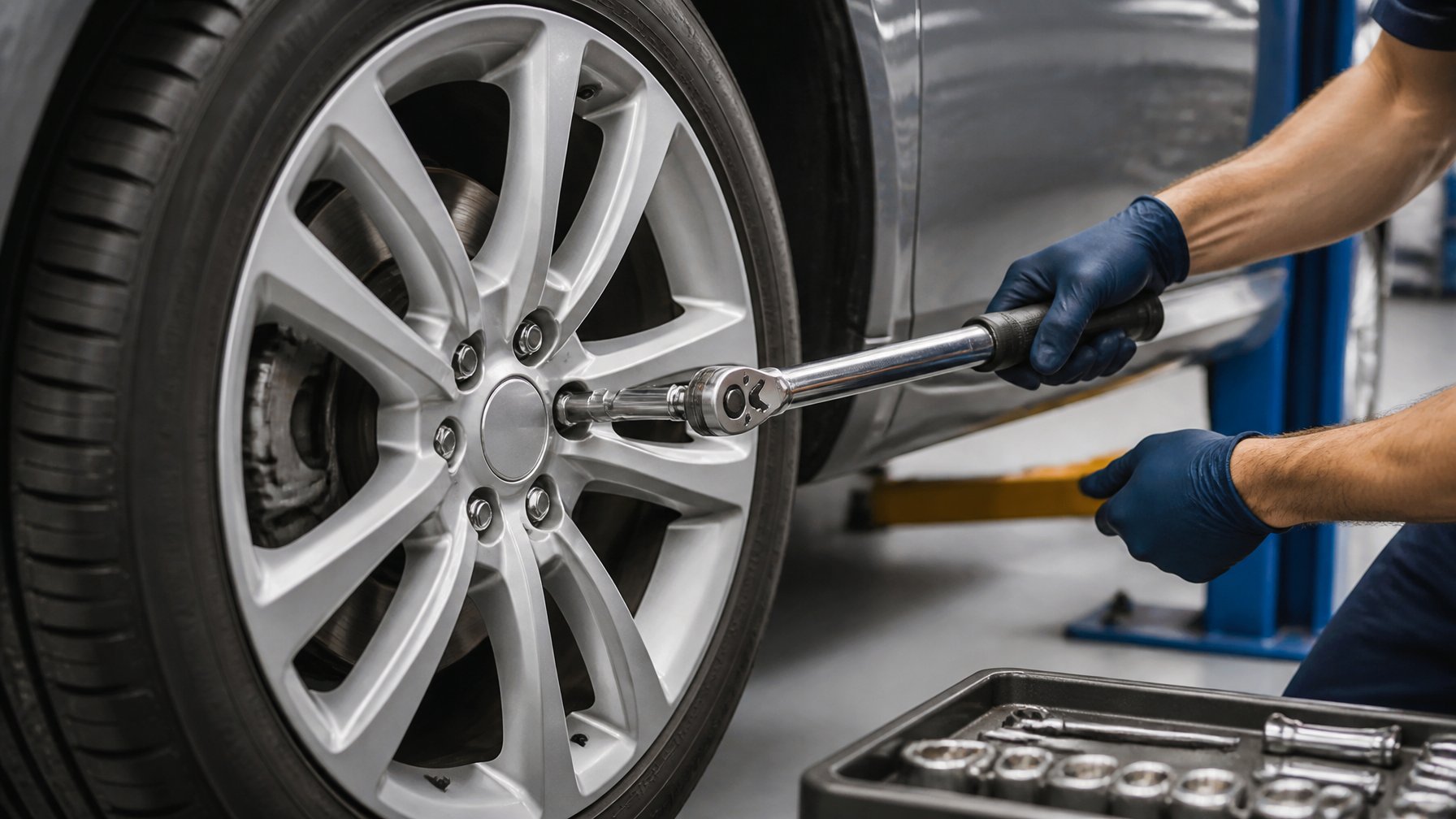
Your 2018 Chevrolet Malibu uses the same wheel-nut specification at both axles: 100 lb-ft (135 N·m). Tighten the five lug nuts in a star pattern with a calibrated torque wrench after the wheel sits fully against the hub.
Front Wheel Fastener Value
For either front wheel, tighten each of the five factory lug nuts to 100 lb-ft (135 N·m). The factory setup uses M12 × 1.5 wheel studs and lug nuts with a 19 mm hex, as listed in these 2018 Chevrolet Malibu wheel fastener specifications.
Start every lug nut by hand. This prevents cross-threading and ensures the nut engages correctly before you use a socket or wrench.
Use a crisscross sequence rather than tightening adjacent nuts in a circle:
- Snug all five nuts while the wheel is centered.
- Lower the vehicle until the tire contacts the ground without carrying full vehicle weight.
- Torque the nuts in a five-point star pattern to 100 lb-ft.
Do not use an impact wrench for the final torque setting. It can exceed the required clamping load and may damage the wheel, stud, or nut.
Rear Wheel Fastener Value
The rear wheels also require 100 lb-ft (135 N·m) on each lug nut. You do not need a different torque setting for the rear axle, whether your Malibu has the 1.5L turbo, 2.0L turbo, or hybrid powertrain.
Clean loose rust, dirt, or debris from the wheel mounting face and hub before installation. Keep the lug-nut threads dry unless Chevrolet specifically directs otherwise; oil or anti-seize changes clamping force at the same wrench setting.
After a wheel installation, check each rear lug nut again with a torque wrench after approximately 50 miles (80 km) of driving. This check helps confirm that the wheel has seated correctly, particularly after tire service or installation of a spare wheel.
Tools And Preparation
Use a 19 mm six-point socket and a calibrated torque wrench. Inspect the wheel, hub, and lug nuts before installation, then tighten the nuts in a crossing pattern to the specified value.
Required Socket Size
Your 2018 Chevrolet Malibu uses lug nuts that take a 19 mm socket. A six-point socket provides full contact with the lug nut flats and reduces the chance of rounding the nut compared with a 12-point socket.
A deep socket can help if the lug nuts sit below the wheel surface. Use an extension only when necessary, since excessive length or an angled adapter can affect your control while tightening.
Before fitting the wheel, remove loose rust, dirt, and debris from the wheel mounting face and hub. Keep the stud threads and lug-nut seating surfaces clean and dry; do not apply oil, grease, or anti-seize unless Chevrolet specifically directs it.
Start every lug nut by hand. If a nut does not turn smoothly for several threads, remove it and check for cross-threading or damaged threads rather than forcing it with a wrench.
Using A Calibrated Torque Wrench
Set a calibrated torque wrench to 100 lb-ft (135 N·m), the listed specification for the 2018 Chevrolet Malibu lug nuts. Use a click-type or electronic wrench rated for this range; do not rely on an impact wrench for final torque.
With the vehicle safely supported and the wheel seated flush against the hub, snug the lug nuts in a star pattern. Lower the vehicle until the tire contacts the ground enough to prevent rotation, then apply final torque in the same pattern.
Pull the wrench steadily until it clicks or signals, then stop. Do not pull past the signal or add extra force, as overtightening can damage studs, distort brake components, or make roadside wheel removal difficult.
After driving a short distance following wheel installation, recheck lug-nut torque with the same wrench. This check matters especially after installing a spare tire or wheels that were recently removed.
Correct Wheel Installation Procedure
You need clean, fully seated wheel-to-hub contact and even tightening to keep the wheel secure. Use a calibrated torque wrench and tighten the 2018 Malibu’s lug nuts to 100 lb-ft (135 N·m), as listed in the 2018 Chevrolet Malibu owner’s manual wheel-bolt specification.
Wheel Seating And Hub Cleaning
Before installing the wheel, inspect the hub face, brake rotor hat, and wheel mounting surface. Remove loose rust, dirt, mud, or old corrosion with a wire brush or suitable cleaning tool.
Do not apply grease, oil, anti-seize, or paint between the wheel and hub. These materials can prevent full metal-to-metal contact and alter the clamping force produced at the specified torque.
Place the wheel squarely over the hub pilot and hold it flush against the rotor. Start every lug nut by hand to avoid cross-threading, then run them down only until the wheel contacts the hub.
Keep the wheel from hanging crookedly on one fastener. If it does not sit flat, remove it and identify the obstruction before tightening any lug nut.
Star-Pattern Tightening Sequence
Tighten the five lug nuts in a star pattern, moving across the wheel rather than around it in a circle. This draws the wheel evenly against the hub and helps prevent uneven rotor loading.
| Step | Action |
|---|---|
| 1 | Snug each lug nut in a star pattern while the vehicle remains raised. |
| 2 | Lower the vehicle until the tire touches the ground without carrying full vehicle weight. |
| 3 | Torque each lug nut to 100 lb-ft (135 N·m) in the same star pattern. |
| 4 | Make one final pass at the same setting to confirm each nut reaches torque. |
Use a 19 mm socket and a torque wrench for the final tightening. Do not use an impact wrench for the final torque because its output can vary.
After driving a short distance following wheel installation, recheck the lug-nut torque with the torque wrench, especially after installing a spare, rotating tires, or fitting replacement wheels.
Post-Installation Checks
After reinstalling a wheel, tighten the five lug nuts in a star pattern with a calibrated torque wrench to 100 lb-ft (135 Nm). Recheck the fasteners after driving and respond promptly to any symptoms that suggest a loose or unevenly tightened wheel.
Rechecking After Driving
Drive normally for the first 50 to 100 miles, then park on level ground, set the parking brake, and recheck every lug nut with a torque wrench. This interval allows the wheel to seat fully against the hub after installation or tire rotation; 2018 Malibu recheck guidance identifies this as the appropriate first inspection interval.
Set the wrench to 100 lb-ft (135 Nm), the listed specification for the 2018 Chevrolet Malibu. Apply force smoothly in a crisscross pattern rather than moving around the wheel in a circle.
| Check | What you should do |
|---|---|
| First recheck | Inspect at 50–100 miles |
| Torque setting | 100 lb-ft (135 Nm) |
| Tightening order | Five-lug star pattern |
| Later checks | After wheel service, vibration, or impact |
Do not rely on an impact wrench for the final setting. It can exceed the specified torque and damage wheel studs or make future removal difficult.
Signs Of Improper Tightening
A steering-wheel shake, vehicle vibration, clicking near a wheel, or a new thumping sound can indicate a wheel that has not seated or tightened correctly. Stop driving as soon as it is safe, inspect the wheel, and check the lug-nut torque before continuing.
Look for a visible gap between the wheel and hub, missing lug nuts, damaged threads, or uneven contact around the wheel mounting surface. Do not attempt to compensate for stripped threads by tightening a lug nut harder; replace damaged studs or nuts before operating the vehicle.
You should also inspect the wheel after striking a pothole or curb, especially if vibration begins afterward. The 2018 Chevrolet Malibu torque specification lists 100 lb-ft, so use that setting rather than estimating tightening force by hand.
Wheel And Lug Nut Considerations
Your wheel, lug-nut seat design, and stud condition determine whether the specified clamp load holds safely. For factory wheels, use a calibrated torque wrench and tighten the five lug nuts in a star pattern to 100 lb-ft (135 N·m).
OEM Versus Aftermarket Wheels
Factory 2018 Malibu wheels use five M12 × 1.5 studs and typically accept 19 mm hex lug nuts. The factory wheel specification calls for 100 lb-ft (135 N·m) wheel-nut torque, applied only after the wheel sits flush against a clean hub face.
Aftermarket wheels may require different lug nuts even though the torque value remains appropriate for the vehicle’s studs. Match the nut’s seat profile to the wheel exactly:
| Wheel seat | Required lug nut |
|---|---|
| 60-degree conical/tapered | Conical-seat lug nut |
| Ball/radius seat | Ball-seat lug nut |
| Flat/shank seat | Shank-style lug nut, often with a washer |
Do not reuse factory tapered nuts on a wheel designed for a ball or shank seat. Incorrect seating concentrates load at a small contact area, can damage the wheel, and may allow the nut to loosen.
Verify that aftermarket wheels clear the hub center and brake components without forcing the wheel into position. Retorque the nuts after roughly 50–100 miles if the wheel manufacturer instructs you to do so.
Damaged or Stretched Threads
Inspect each wheel stud and lug nut before installation. Threads should look clean, uniform, and free of flattening, corrosion, cross-threading, or metal shavings.
Start every lug nut by hand for several turns. If a nut will not turn easily by hand, remove it and inspect both parts; do not use an impact wrench to force it onto the stud.
Replace a stud or lug nut with damaged threads rather than attempting to compensate with extra torque. A stretched stud may appear normal but cannot reliably maintain clamp force, while excessive torque can permanently weaken it.
Avoid oil, grease, anti-seize, or thread locker on the wheel studs unless Chevrolet specifically directs their use. Lubricated threads change the relationship between wrench torque and clamping load, so 100 lb-ft on lubricated threads can over-tighten the stud.
When To Seek Professional Service?
Seek professional service if you find damaged, stretched, cross-threaded, or missing lug nuts or wheel studs. Do not force a lug nut that will not turn smoothly by hand.
Have a technician inspect the wheel and hub if you notice any of these conditions:
- Wheel vibration after a tire change or rotation
- A repeating click, knock, or wobble near a wheel
- Rust, corrosion, or visible damage on wheel studs
- A lug nut that will not reach the proper torque or keeps loosening
- A wheel that does not sit flush against the hub
Use a calibrated torque wrench rather than an impact wrench for final tightening. Published specifications commonly list 100 lb-ft (135 N·m) for 2018 Malibu lug nuts, but you should verify the specification for your exact trim, wheel type, and replacement hardware.
If you installed aftermarket wheels, spacers, or non-original lug nuts, ask a tire or repair shop to confirm correct seat type, thread engagement, and torque. Incorrect hardware can prevent the wheel from clamping securely even when you apply the specified torque.
Frequently Asked Questions
For a 2018 Chevrolet Malibu, tighten wheel lug nuts to 100 lb-ft (135 Nm) using a crisscross pattern. Most standard Malibu models use M12 × 1.5 lug nuts with a 19 mm hex.
What is the recommended lug nut torque specification for a 2018 Chevrolet Malibu?
You should torque the lug nuts to 100 lb-ft. This specification applies to the 2018 Chevrolet Malibu’s factory wheel hardware; see the listed 2018 Malibu lug nut torque specification for the matching value.
Use a calibrated torque wrench for the final tightening pass. Do not use an impact wrench to set final torque.
What size lug nuts are used on a 2018 Chevrolet Malibu?
A standard 2018 Chevrolet Malibu uses M12 × 1.5 wheel studs and lug nuts. The lug nuts typically take a 19 mm socket.
Check any replacement lug nuts before installation. Aftermarket wheels may require different seat styles or lug-nut designs even when they use the same thread size.
Should 2018 Malibu lug nuts be torqued in a specific pattern?
Yes. Tighten the five lug nuts in a star, or crisscross, pattern rather than moving around the wheel in a circle.
First snug each nut in the pattern, then make a final pass at 100 lb-ft. This method helps the wheel seat evenly against the hub.
What is the 2018 Chevrolet Malibu wheel nut torque in Nm?
The wheel-nut torque is 135 Nm. This equals approximately 100 lb-ft.
Set your torque wrench to 135 Nm if it uses metric units. Do not exceed the specified torque because overtightening can damage studs, threads, or wheel components.
Does lug nut torque differ between steel and alloy wheels on a 2018 Malibu?
For factory-compatible steel or alloy wheels on a 2018 Malibu, use 100 lb-ft (135 Nm) unless the wheel manufacturer specifies a different value. The torque specification applies to the fasteners and wheel-to-hub connection, not simply the wheel material.
Use lug nuts with the correct seat shape for the wheel. A mismatched conical, ball, or flat seat can prevent correct clamping even at the proper torque.
How often should the lug nuts be re-torqued after installing a wheel on a 2018 Malibu?
After a wheel installation, recheck lug-nut torque after driving 50 to 100 miles. This check helps confirm that the wheel has remained fully seated after normal driving.
Recheck the torque whenever you remove and reinstall a wheel, such as after tire rotation, brake work, or a puncture repair. The 2018 Malibu Hybrid tightening guidance also specifies a two-pass star pattern and a 50-to-100-mile recheck.