2015 Colorado Z71 StabiliTrak Sensor Location: Stop Guessing!
When the dreaded “Service StabiliTrak” message pops up on your 2015 Chevy Colorado Z71 dash—often accompanied by a sudden loss of engine power or heavy steering—it is easy to panic. Most owners immediately pop the hood or crawl under the truck looking for “the” StabiliTrak sensor to replace.
The Big Secret: There is no single “StabiliTrak sensor.” StabiliTrak is an advanced traction control system that relies on a network of data. When that warning light comes on, it means the main computer has lost communication with one of these three specific sensors:
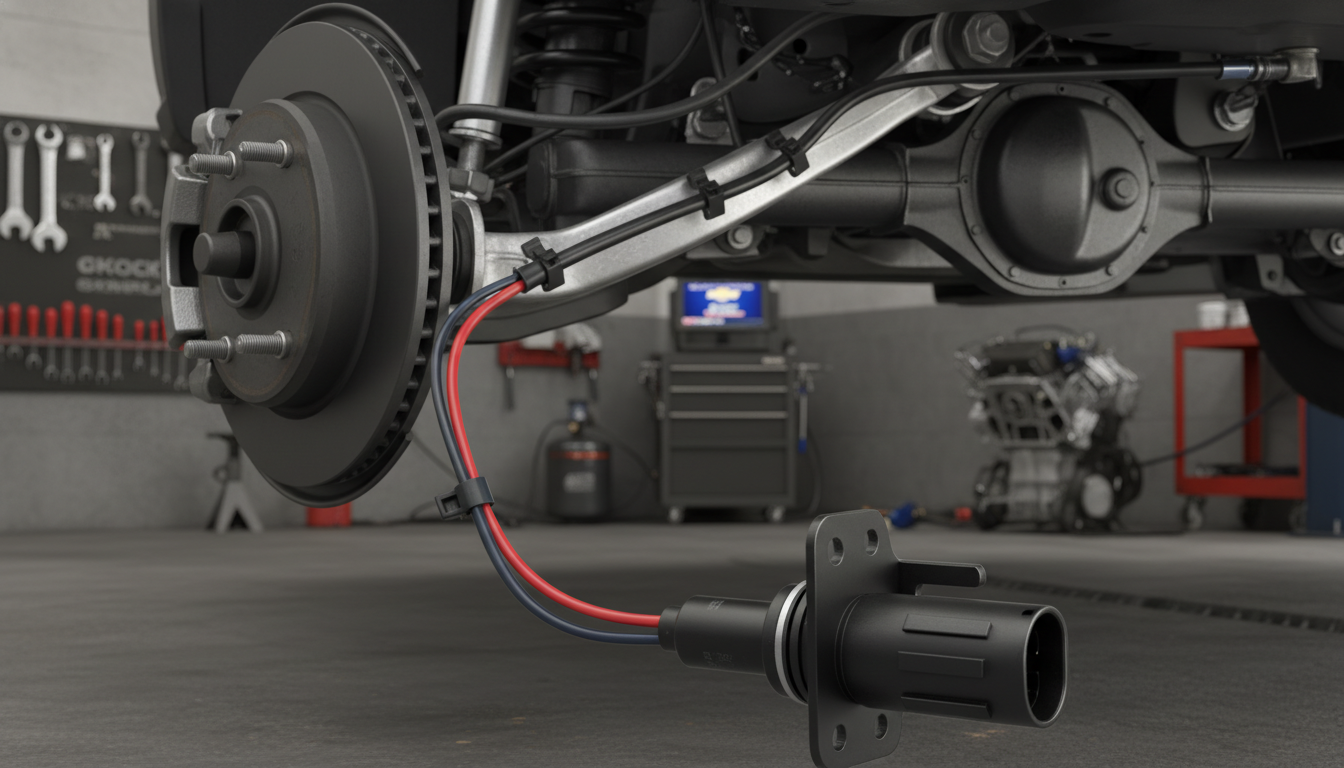
- 1. Wheel Speed Sensors (The most common culprit): Located at each of the four wheel hubs. Because they sit right behind the brake rotors, they frequently fail after getting caked in brake dust, mud, or water.
- 2. Steering Angle Sensor (SAS): Located directly inside the steering column. It tells the truck’s computer exactly which way you are trying to turn the steering wheel.
- 3. Yaw Rate / Lateral Accelerometer Sensor: Typically bolted directly to the floorboard beneath the center console. It measures the physical side-to-side body roll of the truck.
Before You Start Unbolting Parts: Do not start ripping apart your center console to find the yaw sensor just yet. A “Service StabiliTrak” warning on the 2015 Colorado is notoriously triggered by basic electrical faults—such as a dying battery, a loose negative ground cable, or even an engine misfire. In this guide, we will break down exactly where to look and how to test these components so you can keep your truck out of the expensive dealership service bay.
The StabiliTrak System (The Logic Behind the Light)
To diagnose a “Service StabiliTrak” warning, you need to understand how the computer thinks. StabiliTrak is not a physical part you can unbolt; it is a software program running inside the Electronic Brake Control Module (EBCM).
The system constantly monitors a simple equation: Is the truck actually going in the direction the driver is steering?
To answer this, it relies on a constant stream of data. If any sensor reports bad data (or loses power due to a bad ground), the EBCM immediately disables the system to prevent an accidental brake lock-up. This triggers your dash warning and often forces the engine into “Limp Mode” (reduced power) to keep you safe.
How the Network Reacts
When the system is working perfectly, it uses a layered approach that reacts faster than human reflexes:
- Driver Intent: The system reads the Steering Angle Sensor to know where you want to go.
- Reality Check: It reads the Yaw Rate Sensor and Wheel Speed Sensors to see where the truck is actually going.
- The Correction: If it detects a slide or wheel slip, the computer instantly reduces engine torque and rapidly pumps the brakes on specific, individual wheels to pull the truck back into a straight line.
The StabiliTrak Sensor Network
Here is exactly what each input does and what happens when they fail:
| Component | What It Measures | How StabiliTrak Uses It | Common Failure Symptom |
| Wheel Speed Sensors | Individual tire RPM | Applies single-wheel braking to stop a skid. | The ABS light will usually turn on at the same time. |
| Steering Angle Sensor | Steering wheel position | Determines driver intent and turning radius. | Warning often triggers immediately after taking a sharp turn. |
| Yaw Rate Sensor | Body roll and lateral G-force | Cuts engine power if the truck is sliding sideways. | Warning triggers randomly on bumpy roads or steep inclin |
Top 3 Reasons for the “Service StabiliTrak” Message (Besides Bad Sensors)
Before you spend hundreds of dollars replacing wheel hubs or steering column sensors, you must rule out these three incredibly common issues. The StabiliTrak system is highly sensitive; if it detects a problem anywhere else in the powertrain, it automatically shuts itself off as a safety precaution.
1. A Dying Battery or Bad Ground (The #1 Cause) The Electronic Brake Control Module (EBCM) requires perfectly stable voltage. If your 2015 Colorado has an aging battery, or if the negative ground cable connecting to the frame is loose or corroded, the voltage drop will instantly trigger a StabiliTrak error. Always test your battery load and clean your battery terminals first.
2. Engine Misfires (Check Engine Light On) Is your StabiliTrak warning accompanied by a flashing or solid Check Engine Light? If your truck’s engine is misfiring (such as a P0300 code), the Powertrain Control Module (PCM) intentionally disables StabiliTrak. It does this because rough engine performance makes it impossible to safely manage traction control. Fix the misfire (spark plugs, coils, etc.), and the StabiliTrak light will usually disappear on its own.
3. A Faulty Brake Light Switch There is a small, inexpensive switch located right above your brake pedal. It tells the computer when your foot is on the brake. If this switch wears out or sticks, the EBCM gets confused because it thinks you are constantly braking while accelerating. This data mismatch instantly triggers a StabiliTrak fault.
The Role of the Steering Wheel Position Sensor
Accurate steering readings are a foundation for traction control to act correctly during maneuvers.
The steering wheel position sensor tells the truck computer how much and how fast you turn the wheel. When this device fails, it often produces specific codes that point to lost communication with the control module.
Many owners replace this sensor as a common repair. Video guides and step-by-step walkthroughs make the job approachable for experienced DIYers. Still, recording the exact code before replacing parts helps avoid needless expense.
| Issue | Common codes | Recommended action |
|---|---|---|
| Intermittent steering input | Communication fault codes | Inspect connectors, test the unit |
| Persistent warning | Stored stability or steering code | Replace the steering wheel position sensor |
| After repair | No active codes | Clear codes and road test |
Tip: prioritize accurate steering data during diagnostics. It directly affects brake and engine responses and keeps the truck behaving predictably.
Inspecting Wheel Speed Sensors for Faults
Quick visual checks of wheel speed pickup points often save diagnostic time and money.
Wheel speed units sit at every wheel and feed the brake and traction systems. A single failed unit can trigger a service message and log specific codes for that wheel.
Look for debris, bent brackets, or damaged wiring at each hub. Off-road trucks should inspect these areas more often because mud and rocks cause issues that show up as intermittent alerts.
If a visual check does not clear the problem, a dealership can test the output waveform to see if the fault is wiring, a weak battery, or a bad component. If the truck is under warranty, mention the stored codes when you book time at the shop.
| Sign | Quick Check | Next Step |
|---|---|---|
| Service message, one wheel code | Inspect hub, clean debris | Test with meter or scan tool |
| Intermittent alerts | Check connectors and harness | Seek dealership testing if needed |
| Multiple wheel codes | Check battery and charging | Replace or repair under warranty if covered |
Evaluating Battery and Electrical System Health
A failing battery can mimic complex faults and trigger unrelated warning messages on the dash.
Start by testing battery voltage and load before chasing codes or replacing parts. Low power often creates false service alerts and engine warnings that point to other systems.
If you see a check engine light or engine light, have a qualified shop or the dealership test the battery and charging output. A quick test rules out simple power issues and saves time and parts expense.
Maintaining a healthy battery is the best way to prevent recurring service issues on your truck. Proper battery care keeps sensors and control modules operating within factory specs and reduces unnecessary repairs under warranty.
| Check | What it reveals | Recommended action |
|---|---|---|
| Voltage at rest | Battery state and surface charge | Charge or replace if under 12.4V |
| Load test | Real-world power delivery | Replace if fails under load |
| Charging output | Alternator performance | Repair charging system at dealership or shop |
| Scan for codes | Stored faults after power faults | Clear only after battery and charging are verified |
Safety Risks of Driving with a Traction Control Warning
If a traction control light appears, the vehicle’s automated stability aids could be offline when you need them most.
Driving a truck with this warning raises real safety issues. The service stabilitrak message often means the control system cannot intervene during a skid. That increases the chance of losing control on wet or icy surfaces.
Treat any traction-control or stabilitrak warning as urgent. Reduce speed, avoid sudden lane changes, and drive to a safe location.
Do not ignore persistent lights. Have a professional inspect the vehicle before taking it on challenging roads. For a detailed service approach, consult a trusted guide like service stabilitrak troubleshooting.

| Risk | What to Do | When to Stop Driving |
|---|---|---|
| Reduced stability in slick conditions | Drive slowly, increase following distance | If lights persist after restart |
| Disabled automatic brake or torque control | Seek inspection, avoid high speeds | If multiple warning lights show |
| Unpredictable handling | Tow or drive to shop if unsure | If steering or braking feels wrong |
Warranty Coverage and Dealership Repairs
Warranty status can turn an expensive repair into a no-cost fix—check it first. Before scheduling any service, confirm your warranty details. This simple step often saves money and avoids unnecessary parts purchases for your truck.
A certified dealership has the specialized tools and factory software needed to diagnose complex vehicle faults. They can test wiring, run module scans, and verify whether a failing battery or a premature part needs warranty coverage.
When a component fails early, the dealership will follow manufacturer procedures so the repair meets factory standards. That protects the truck’s performance and helps keep future claims valid.
Always keep clear records of every visit: invoices, diagnostic reports, and parts replaced. These documents are vital if you need to file a warranty claim or dispute a repair bill.
| What to Do | Why It Matters | Who to Contact |
|---|---|---|
| Check warranty terms | May cover parts and labor | Dealership service department |
| Request diagnostic report | Proves cause and scope | Certified technician |
| Keep all receipts | Supports future claims | Owner / dealership records |
Tools Required for Sensor Replacement
Swapping a faulty part on your truck starts with gathering the correct hand tools and a steady workspace.
Essential items: a socket wrench set, a screwdriver set, and a quality metric socket kit make most jobs approachable. These tools protect delicate connectors and speed the work.
Bring a trim tool or small pry to remove panels without scratching plastic. A multimeter helps verify wiring and battery voltage before reassembly.
Organize tools on a tray and label fasteners as you work. Good organization shortens repair time and reduces mistakes on any modern truck.
| Tool | Purpose | Pro tip |
|---|---|---|
| Socket wrench set | Remove fasteners | Use metric sockets to match OEM bolts |
| Screwdrivers & trim tools | Access panels safely | Protect clips and wiring |
| Multimeter | Test connectors and power | Verify readings before replacing a sensor |
Tips for Successful DIY Repairs
Good prep can turn a messy weekend job into a few smooth hours of useful work.
Plan first. Dedicating a few hours to research helps you avoid common mistakes. Note tools, parts, and a clear checklist before you open panels.
Work slowly. Take your time removing trim and connectors. Plastic clips and harnesses on a truck are brittle and break if rushed.
Use visual guides. Watching a short video tutorial often saves time. A clip shows subtle steps that written guides may miss.
Verify before start-up. Double-check every plug and fastener before you crank the engine. A quick look prevents electrical faults and wasted trips back to the garage.
| Tip | Estimated time | Benefit |
|---|---|---|
| Research steps and parts | 1–2 hours | Fewer surprises, smoother repair |
| Slow panel and connector removal | 30–60 minutes | Prevents broken clips and wiring damage |
| Follow a video walkthrough | 30–45 minutes | Visual cues reduce errors |
| Final systems check | 15 minutes | Confirms secure connections before driving |
Conclusion
A clear checklist of battery, codes, and steering checks makes a confusing dash message manageable. Start simple: test power, read stored codes, and inspect connectors before replacing parts.
Using home forums and dealership expertise together speeds a proper repair. Treat a traction control or service stabilitrak warning as a real safety signal — it protects against loss of control and limits engine or brake issues from worsening.
Whether you choose a shop or a DIY fix, understanding the control system helps you save time and avoid repeat visits. For related truck guides, see our piece on best Chevy Silverado years.
FAQ
Where is the StabiliTrak wheel speed sensor typically mounted on a 2015 Chevy Colorado Z71?
The wheel speed sensor is usually mounted at the wheel hub/knuckle near the brake rotor. It reads a tone ring on the axle or hub to monitor wheel rotation and report data to the ABS and traction control modules.
How can I access the steering column position sensor when troubleshooting a StabiliTrak warning?
Access requires removing the lower steering column trim and sometimes the airbag clock spring cover. Disconnect the battery first, then remove fasteners and gently separate trim panels to reach the steering angle sensor for inspection or recalibration.
Why does the dash show “Service StabiliTrak” after a battery replacement?
A battery reconnection can trigger stored fault codes or reset modules. If voltage dropped during replacement, modules may need relearning. Check battery terminals for corrosion, ensure proper voltage, and scan for codes to clear or address faults.
What scan tool codes should I check first when the traction control light comes on?
Start with ABS, BCM, and engine control module codes. Common codes relate to wheel speed sensors, steering angle sensor, and communication faults. Use an OBDII scanner capable of reading ABS/SRS modules to capture relevant trouble codes.
Can a faulty wheel bearing mimic a bad wheel speed sensor and trigger StabiliTrak warnings?
Yes. A worn bearing can damage the tone ring or change sensor gap, causing intermittent or erratic wheel speed readings. Inspect the hub and tone ring for damage and check for play in the bearing during diagnosis.
Are there safety risks driving with the traction control or StabiliTrak disabled?
Driving with traction control disabled increases the chance of wheel slip and loss of stability, especially on wet, icy, or loose surfaces. It remains drivable in calm conditions, but avoid aggressive maneuvers until the system is repaired.
When should I take the truck to a dealership versus a local shop for StabiliTrak repairs?
Choose a dealership if the vehicle is under warranty, if software reflash or module programming is required, or if the issue involves airbag/clockspring work. A qualified independent shop can handle sensor swaps, wiring repairs, and basic diagnostics at lower cost.
What tools do I need to replace a wheel speed or steering angle sensor myself?
Basic tools include a jack and stands, lug wrench, socket set, Torx/hex bits, a torque wrench, and an OBDII scan tool to clear codes and perform relearns. For steering angle sensor work, a tool that can perform calibration or access module data is recommended.
How do I confirm a wheel speed sensor is bad before replacing it?
Use a multimeter to check the sensor’s resistance and an oscilloscope or a scan tool with live data to observe wheel speed readings while spinning the wheel. Visual inspection for wiring damage or a missing tone ring also helps verify faults.
Will clearing codes reset the StabiliTrak warning permanently?
Clearing codes may temporarily remove the warning, but it will return if the root cause remains. Always diagnose stored codes and address underlying issues—sensor faults, wiring, or module failures—before relying on a code clear.