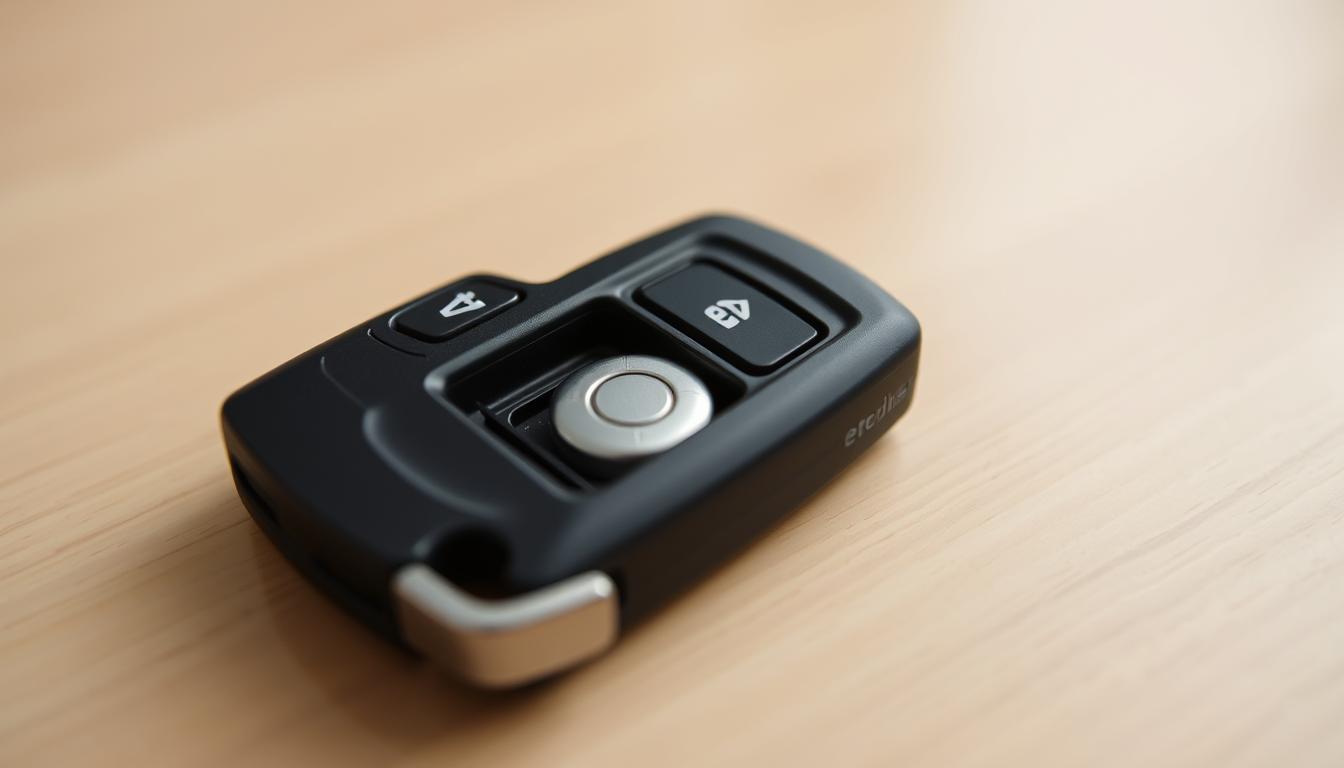
How to Change Battery in Chevy Key Fob (All Models)
Is your dashboard flashing the ‘Replace Battery in Remote Key’ message? Or maybe you have to stand right next to your truck just to unlock it?
Don’t pay the dealership $20 for a 5-minute DIY job.
Whether you have the modern ‘Smart Key’ (found on 2019+ Silverado, Tahoe, Suburban) or the classic ‘Flip Key’ (Equinox, Malibu, Cruze), the fix is simple. You likely just need a fresh CR2032 coin battery and a thin flathead tool to pry the case open.
Here is the step-by-step breakdown for every Chevy key fob type.
Step 1: Identify Your Key Fob & Battery Type
- Smart Key (Push-to-Start): Used on 2019+ Silverado, Tahoe, Suburban, Equinox.
- Battery: CR2450 (or sometimes CR2032—check the back cover).
- Flip Key (Switchblade): Used on 2010–2019 Camaro, Cruze, Malibu, Equinox.
- Battery: CR2032
- Standard Remote (Rectangular): Used on 2014–2018 Silverado, Tahoe.
- Battery: CR2032
Tools Needed:
- A small flathead screwdriver (or a butter knife).
- The new battery (available at any pharmacy or auto parts store).
Style A: How to Change Battery in “Smart Key” (2019+ Models)
This is the sleek, oval-shaped fob with the silver buttons on the side.
- Remove the Emergency Key: Press the chrome button on the side of the fob and pull out the metal emergency key.
- Open the Case: Do not use a screwdriver yet. Insert the tip of the metal emergency key into the slot where you just pulled it from. Twist it gently to pop the back cover off.
- Swap the Battery: Remove the old CR2450 or CR2032.
- Note: Be careful not to damage the circuit board.
- Install: Place the new battery Positive (+) side facing UP.
- Close: Snap the cover back on and slide the emergency key back in.
Style B: How to Change Battery in “Flip Key” (Camaro/Cruze/Malibu)
- Extend the Key: Press the silver button to flip the metal key blade out.
- Pry Open: Look for the seam on the back cover (battery side). Use your fingers or a flathead screwdriver to gently pop the battery cover off.
- Warning: The plastic clips can be brittle on older fobs. Go slow.
- Swap: Remove the old CR2032 battery.
- Install: Insert the new battery Positive (+) side facing UP.
- Close: Snap the cover back into place.
Troubleshooting: Fob Not Working After Battery Change?
If you changed the battery but the car won’t unlock:
- Check Orientation: Did you put the battery in upside down? (Positive side usually faces you).
- Re-Sync the Fob: Sometimes the fob loses connection. Try this:
- Stand next to the car.
- Hold the LOCK and UNLOCK buttons together for 15 seconds.
- If the car honks or the locks cycle, it is re-synced.
- Remove the Protective Sticker: Did you forget to peel the sticker off the new battery? (It happens more often than you think!).
Signs your Chevy key fob battery needs replacing
Chevrolet owners often miss early signs that a fob battery is failing. A few quick checks at home can tell if a Chevy key fob battery change or Chevy key fob battery replacement is due. Act early to avoid being locked out or having to call roadside service.
Common warning signs
When a fob needs attention, it may require multiple presses to work. Buttons might respond only after several tries. Range shrinks so the driver must stand close to the door to lock or unlock.
Intermittent response is typical. One button might work while another does not. These patterns usually point to a weak cell, not a damaged fob.
Typical battery life expectancy for Chevy key fobs
Most coin cells in Chevy key fobs last about three to four years under normal use. Heavy use, constant button presses inside pockets, and exposure to heat shorten life.
When performance drops, replace battery Chevy key fob at the first sign of diminished range or reliability. A small DIY Chevy key fob battery change prevents bigger hassles later.
Identify your Chevy key fob type and what it means for replacement?
Not all Chevy key fobs are the same. Knowing your fob style saves time and prevents damage. A quick check shows if you have a smart keyless entry remote, a flip key fob, or a standard remote for older models.
Smart keyless entry remotes
These remotes support push-button start and feel solid. They have a chrome release for the metal key. Remove the metal key, then pry the two halves apart at the small slot to access the battery compartment. Check the Chevy key fob battery size stamped inside the case before swapping cells.
Flip key fobs
Flip key fobs, common around 2010–2016, have a folding metal key. Flip the key and look for a removable back plate. That plate often pops off with gentle pressure, exposing the battery well. Note the battery polarity and verify the Chevy key fob battery type printed on the inside or in the owner’s manual.
Standard remote fobs
Older Chevy models use two-piece plastic shells. A small flathead screwdriver or pry tool fits the side slot to separate halves. These tend to use CR2032 coin cells, though some later units may use CR2450. Check markings inside the case for the exact Chevy key fob battery size to avoid buying the wrong replacement.
- Look for embossed battery markings inside the fob before purchase.
- Consult your owner’s manual to confirm the Chevy key fob battery type if markings are worn.
- When in doubt, test-fit the correct Chevy key fob battery size before purchase.
Chevy key fob battery type and size explained
Choosing the right coin cell is key to a Chevy remote’s reliability. The size and type of battery needed vary by model year and fob design. A quick check before replacing the battery can prevent issues.
Most Chevrolet remotes before 2020 use the CR2032 coin cell. These are thin, 3V batteries found in many small electronics. Starting from 2020, newer fobs require the larger CR2450. The CR2450 is thicker and has more capacity. These two types are not interchangeable.
Before replacing the battery, check the model. Open the battery compartment and look for the stamped code on the existing cell. The owner’s manual lists the correct size. If the marking is worn, the manual or the fob diagram under the battery compartment will help.
Buy quality replacement cells from trusted U.S. retailers. Pharmacies like CVS and Walgreens, big-box stores such as Walmart and Target, electronics outlets, and auto parts stores typically stock CR2032 and CR2450. Online marketplaces also offer name brands and Interstate or Energizer replacements. Expect to pay under $5 per single cell at retail.
Use this quick comparison to match common Chevy models to battery size before you buy or open the fob.
| Chevy Model Examples | Typical Year Range | Common Battery | Notes |
|---|---|---|---|
| Silverado, Tahoe | Pre-2020 | CR2032 | Standard smart remotes and flip keys often use CR2032; check stamped code. |
| Equinox, Blazer | 2020 onward | CR2450 | Newer remotes favor CR2450 for longer life; wrong size may not fit or make contact. |
| Malibu, Spark | Mixed years | CR2032 or CR2450 | Battery type depends on remote generation; verify by opening fob or checking manual. |
Tools and workspace setup for a safe battery change
Before starting, make sure your workspace is clean and well-lit. Clear a flat surface and place a soft towel or tray to catch small parts. Take a quick photo of the fob with your phone before you start; it helps if you get stuck.
Minimal tools required
You’ll need just a few tools for this job. A small flathead screwdriver or the fob’s metal emergency key can open many cases. Use a plastic pry tool or watch knife to avoid scratching the case. Tweezers are great for lifting coin cells without touching the contacts.
Keep a soft cloth and nitrile gloves nearby to prevent fingerprints on contacts.
Preparing a clean, flat workspace
Good lighting is key for this task. Work near a lamp or window. Place parts on a towel, magnetic tray, or shallow bowl to keep screws and clips visible. Arrange your tools in order of use to avoid fumbling.
Precautions to protect internal components
Be careful not to touch the circuit board or antenna with metal tools. Use gentle, even pressure when prying seams. Work around the case instead of forcing a single point. Never bend or lift the circuit board.
Keep coin cells away from children and pets. Dispose of old batteries at a recycling center.
| Item | Purpose | Tip |
|---|---|---|
| Small flathead screwdriver / Emergency key | Open seam or remove retaining screw | Use the key on newer Chevy fobs to avoid marring plastic |
| Plastic pry tool / Watch knife | Separate halves without scratching | Insert at clip locations and work around the case |
| Tweezers | Handle battery and small parts safely | Plastic-tipped tweezers reduce risk of shorting contacts |
| Soft cloth or towel | Prevent parts from rolling away and protect finish | Dark cloth helps see light-colored screws |
| Nitrile gloves | Protect contacts from oils and dirt | Optional for those concerned about corrosion |
| Phone or camera | Document orientation and clip positions | Take one clear photo before disassembly |
By following these steps, you can safely replace your Chevy key fob battery. Having the right tools and a clean workspace makes the job easier and safer. It’s a great way to learn how to change your Chevy key fob battery for the first time.
Step-by-step battery replacement for smart keyless entry remotes
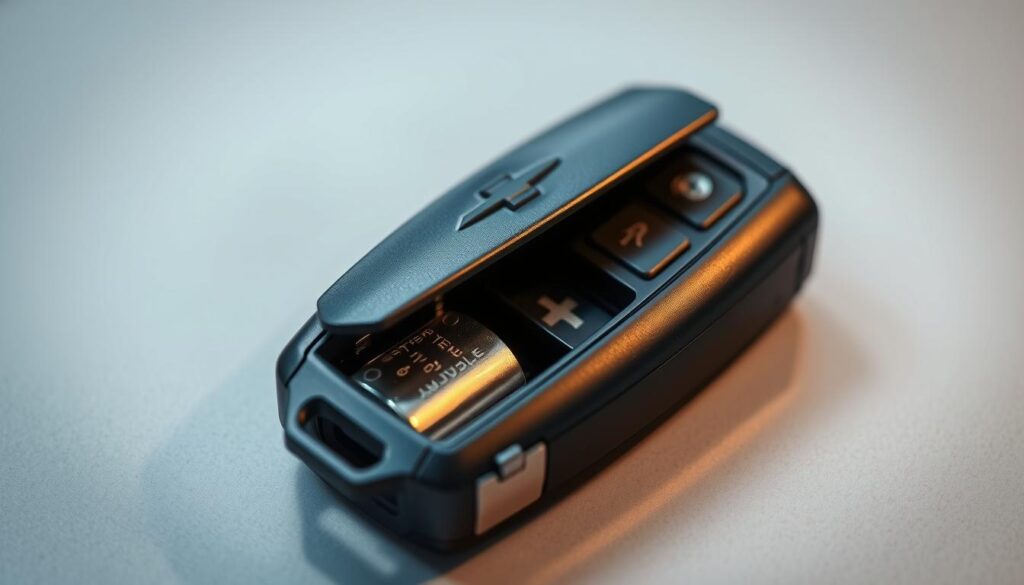
Smart keyless remotes are small but strong. Replacing the battery is easy and safe if you follow these steps. Here’s a quick guide to help you get started.
Removing the metal key and opening the fob safely
First, press the chrome release button to drop the metal key. Then, slide the key into the small slot at the fob base. Twist it gently to start opening the two halves.
Work along the seam with light pressure. Use the metal key as a lever. This helps avoid breaking the plastic or bending the tabs.
Removing the old battery and inserting the new CR2032 or CR2450
Use a small flathead screwdriver or pry tool to remove the old battery. Make sure to note the battery’s orientation before taking it out. Take a quick photo if you’re unsure.
Many Chevy remotes have the positive (+) side facing down. But some models might be different. So, always check before inserting the new battery.
Slide the new CR2032 or CR2450 into place, matching the orientation. Make sure it sits flush against the metal contacts. Press lightly to confirm it fits well and makes good contact with the battery tabs.
Reassembly tips and testing all buttons after replacement
Align the case halves and press until each clip snaps home. Slide the metal key back into its slot. Now, test the lock, unlock, panic, and remote start if your remote has it.
If any function doesn’t work, reopen the fob. Check the battery orientation and clean the contact points. This might solve the problem.
- Tip: Clean contacts with isopropyl alcohol on a cotton swab if corrosion or grime is visible.
- Tip: If replacement did not help, visit a dealer or qualified locksmith for advanced diagnostics.
Step-by-step battery replacement for flip key and standard remote fobs
Here are the steps for a safe Chevy key fob battery change. You’ll need a small flathead or plastic pry tool and a new coin cell. Make sure you’re working on a clean, flat surface.
Opening flip key fobs
First, press the release to flip the metal key out. Some Chevy flip keys have a small notch or tab that must be depressed first. Use steady pressure and a thin pry tool at the seam to lift the back cover.
Work around the edge instead of forcing one spot. This prevents cracked plastic and snapped clips. Once open, note how the cover and any springs sit before removing the battery.
Separating standard remote halves
Find the small side slot on the remote. Insert a thin flathead or plastic pry tool and gently work around the perimeter.
Release each clip in sequence. Do not pry only at one point. After the case halves separate, note battery orientation. In many remotes, the positive side faces up, but confirm by checking the old battery before removal.
Battery orientation and handling
Hold the old battery with tweezers or gloves to avoid skin oils on contacts. Match the new coin cell to the orientation you recorded. Ensure it sits flat in the seat and that any retaining tabs or pads align with the battery edge.
Closing the fob and confirming functionality
Realign the case halves and press firmly until a click is felt. Reinsert any pins or the metal key, then test all buttons at close range.
Walk a few steps away and test lock and unlock to confirm range. If the fob is unresponsive, recheck battery seating and contact points before repeating the assembly.
Quick troubleshooting checklist
- Battery sits flat and matches polarity.
- Contacts look clean and free of corrosion.
- Clips fully engage and cover rests flush.
- All buttons register at short and medium range.
| Fob Type | Common Battery | Opening Tip | Quick Test |
|---|---|---|---|
| Flip key fob | CR2032 or CR2450 depending on model | Flip key out, depress notch, pry along seam | Flip key function and range check |
| Standard remote | CR2032 common; confirm orientation | Insert thin tool in side slot, work around perimeter | Lock/unlock at 10–20 feet for range |
| Older Chevy remotes | Coin cell types vary; check manual | Careful perimeter prying to release clips | Confirm all button responses and re-seat battery if needed |
For many drivers, a DIY Chevy key fob battery replacement takes minutes and saves a trip to the dealer. If a new battery does not fix issues, try to replace battery Chevy key fob again verifying contact cleanliness. If problems persist, a technician can diagnose internal faults or reprogramming needs.
Troubleshooting after battery replacement
After changing the battery in your Chevy key fob, do a quick check. Many times, fobs don’t work because of simple issues. These checks help make sure the battery change was done right and guide you if it wasn’t.
It’s easy to overlook mistakes. Maybe the battery was put in the wrong way, not seated right, or the case isn’t closed properly. Each problem can make it seem like the new battery isn’t working, even if it is.
Dirty contacts can stop your fob from working. Use a cotton swab with isopropyl alcohol to clean them. Make sure everything is dry before putting it back together. Also, check for any loose parts that could block the connection.
Try a simple reset on many Chevy remotes. Hold the lock and unlock buttons together for about 15 seconds. If that doesn’t work, take out the battery, wait 30 seconds, then put it back in and test again. Make sure the fob is closed and buttons work as they should.
Most Chevy remotes don’t need to be reprogrammed after a battery change. But, if your fob is not working, check the owner’s manual for specific steps. You might need to reprogram it if the inside parts were moved during the change.
If you’ve tried everything and it’s not working, take it to a dealership or a professional locksmith. They can check the voltage and see if the circuit board or transmitter needs fixing. This is the best option if you messed with the inside parts during the battery change.
| Symptom | Likely Cause | Quick Fix |
|---|---|---|
| Buttons feel normal but no response | Incorrect battery orientation or poor contact | Open fob, re-seat battery with correct polarity, clean contacts |
| Intermittent function | Battery loose or case not aligned | Ensure cell is fully seated, snap case halves firmly into place |
| Partial functions only (some buttons work) | Corroded contact or damaged traces | Clean contacts, inspect circuit for breaks, seek professional repair |
| No power after verified new battery | Disturbed antenna or damaged transmitter circuit | Consult owner’s manual for sync; visit dealership if needed |
How to avoid damaging your key fob during a DIY battery change?
Being careful is key to keeping your Chevy key fob working well. Before you start, take clear photos of the fob. This includes the battery’s position, any clips, and where small parts are. These photos will help you put everything back together right.
When opening the fob, use gentle prying instead of force. Start by inserting a thin pry tool at the seam. Slowly move it around the edge, opening the fobs a little at a time. For smart fobs, use the metal key as your pry tool. This method helps avoid broken clips and makes the process less stressful.
If a clip or small part comes loose, stop and think about it. Don’t pull on the circuit board or wiring. Try to fix loose contacts and antenna tabs with tweezers, applying even pressure. If a connector looks damaged, don’t mess with it anymore to avoid losing programming or causing permanent damage.
Keep small parts organized as you work. Use a shallow tray or a magnetic dish for screws and clips. Label your photos or notes so you know where each piece goes. These steps make reassembling faster and easier for future battery replacements.
If you’re not sure about repairs, it’s best to go to a dealership or a certified battery center. Professional technicians can fix antenna connections and check if the fob works with your vehicle. Getting expert help avoids mistakes that DIY can cause.
| Risk | Prevention | Quick fix |
|---|---|---|
| Snapped plastic clips | Peel case open around the perimeter; use metal key on smart fobs | Use a small plastic clamp or clear epoxy on non-critical snap points |
| Battery inserted wrong way | Photograph battery orientation before removal | Swap the cell to correct polarity and test buttons |
| Loose antenna or contact | Handle circuit board by edges; avoid bending components | Gently reseat with tweezers; seek pro help if unsure |
| Lost small parts | Work over a tray and keep parts in order | Refer to photos to replace parts correctly |
| Fob won’t sync after swap | Confirm battery type and orientation during easy Chevy key fob battery change | Perform basic sync steps or visit a dealer for reprogramming |
Where to get help or spare parts if DIY fails?
If you can’t fix your Chevy key fob, there are good places to get help and parts. The right choice depends on the problem’s complexity, how fast you need help, and if you need to reprogram it.
Dealerships offer full checks, key programming, and complex fixes. They can check the battery size, install the right one, and reprogram it. This service is more expensive but ensures it works right.
Local auto shops and battery centers can change batteries and sell new fobs for less. Places like Interstate All Battery Center and Advance Auto Parts can replace batteries and sometimes program them. Make sure they work with Chevy remotes before you go.
Another option is aftermarket fobs. Prices vary, from under $5 for single cells to hundreds for full fobs. Make sure they fit your car and buy from trusted sellers to avoid bad parts.
Recycling batteries is important and follows local laws. Most stores take old batteries for free. Keep them safe and recycle them properly.
- Dealership: full diagnostics, OEM parts, higher cost.
- Local shops/battery centers: lower labor, quick service, ask about reprogramming.
- Aftermarket fobs: check compatibility and programming fees before purchase.
- Recycling: many retailers accept coin cells at no charge; follow local disposal rules.
If you need help fast, call first to check parts and services. Good communication saves time and avoids extra trips.
Conclusion
Changing a Chevy key fob battery is easy and cheap. Most people can do it at home. First, figure out what kind of fob you have. Then, use the right battery, like CR2032 or CR2450.
Get a clean area and some basic tools, like a small flathead or plastic tool. Take pictures before you start. Remember how the battery goes in and work carefully to avoid damage.
After putting in the new battery, check all the buttons. Make sure everything works right. If there are problems, like a broken case or the fob won’t sync, get help from a Chevy dealer or a battery center.
Also, throw away old batteries the right way. Take them to a recycling spot. This makes sure you’re doing it safely and helping the planet.
FAQ
How do I change the battery in a Chevy key fob?
First, figure out what kind of fob you have. It could be a smart keyless entry, flip key, or standard remote. You’ll need a small flathead or plastic pry tool, tweezers, and a CR2032 or CR2450 coin cell battery.
Open the case carefully at the seam or slot. Make sure to note how the old battery was placed. Remove it and put the new one in the same way. Close the case and test all the buttons. You should be done in less than five minutes.
Which battery type does my Chevy key fob use — CR2032 or CR2450?
Older Chevys, made before 2020, often use CR2032 (3V) batteries. But newer models might need CR2450. Check the battery marking inside the fob or look in the owner’s manual. The wrong battery can cause problems.
What are the signs my Chevy key fob battery is low?
Signs of a low battery include needing to be close to the car to unlock/lock. You might also have to press buttons multiple times. Some dashboards will show a “key fob battery low” warning. Replace the battery right away if you see this.
What tools and workspace do I need for a safe battery change?
You’ll need a few tools: a small flathead screwdriver or metal key, a plastic pry tool or watch knife, tweezers, and a soft cloth or towel. Work on a clean, flat, well-lit surface. Take photos before you start to help with putting it back together.
My fob won’t work after replacing the battery — what now?
First, check that the battery is in the right way and seated properly. If it’s dirty, clean the contacts with a cotton swab and isopropyl alcohol. If it’s not working, the circuit board or antenna might be loose or damaged. You might need to reprogram it; a dealership or local auto shop can help.
Do I need to reprogram the key fob after changing the battery?
Most Chevrolet key fobs don’t need reprogramming after a battery change. If it’s not working, check the contacts and battery placement first. If it’s not working, look in the owner’s manual or contact a dealership or locksmith for help.
Where can I buy a replacement battery and how much will it cost?
You can find CR2032 and CR2450 coin cells at U.S. pharmacies, big-box stores, electronics retailers, and online. Look for trusted brands like Interstate. A single battery costs under . Remember to recycle the old battery.